

Reducing Patient No-Shows Is Crucial for Any Medical Practice
Most businesses lose 15-30% of their revenue to no-shows. That's not just a scheduling hiccup—it's a profit killer that compounds daily.
The worst part? Most no-shows are completely preventable with the right communication strategy. While competitors scramble with last-minute calls and empty slots, smart businesses are using automated reminders, instant confirmations, and strategic follow-ups to keep their calendars packed.
Here's what we'll cover:
- Proven SMS reminder systems that actually cut no-show rates
- Easy self-scheduling tactics that increase commitment and reduce back-and-forth
- Real scripts, templates, and follow-up sequences you can use right away
- Plus: how platforms like Textline automate all of it (without losing the personal touch)
Proven No-Show Reduction Strategy at a Glance:
- Send 24-48 hr SMS reminders with one-tap confirmation.
- Enable self-scheduling & easy rescheduling to reduce friction.
- Follow up immediately after missed visits with empathetic SMS.
- Use automated waitlists to fill last-minute cancellations.
- Offer virtual appointments to remove travel and anxiety barriers.
- Keep all messaging HIPAA/TCPA compliant with opt-in/opt-out workflows.
- Use Textline to execute these with automations, templates, and secure tracking.
Why Patient No-Shows Happen (And What's at Stake)
Let's be real, no-shows aren't just about forgetful clients.
Common causes include:
- Forgetfulness (the biggest culprit)
- Scheduling conflicts that arise after booking
- Anxiety or apprehension about the appointment
- Transportation issues or weather complications
- Unclear communication about location, timing, or preparation
- Difficult rescheduling processes that discourage changes
The real cost? Beyond lost revenue, you're dealing with wasted staff time, lower productivity, and in healthcare settings, worse patient outcomes.
A single no-show in a medical practice can cost $200-400 in lost revenue. Across the U.S. healthcare system, no-shows contribute to more than $150 billion in annual losses.
For non-medical service businesses, there’s less per-appointment data — but one report suggests that a business earning around $120K annually could lose over $26K per year to missed appointments.
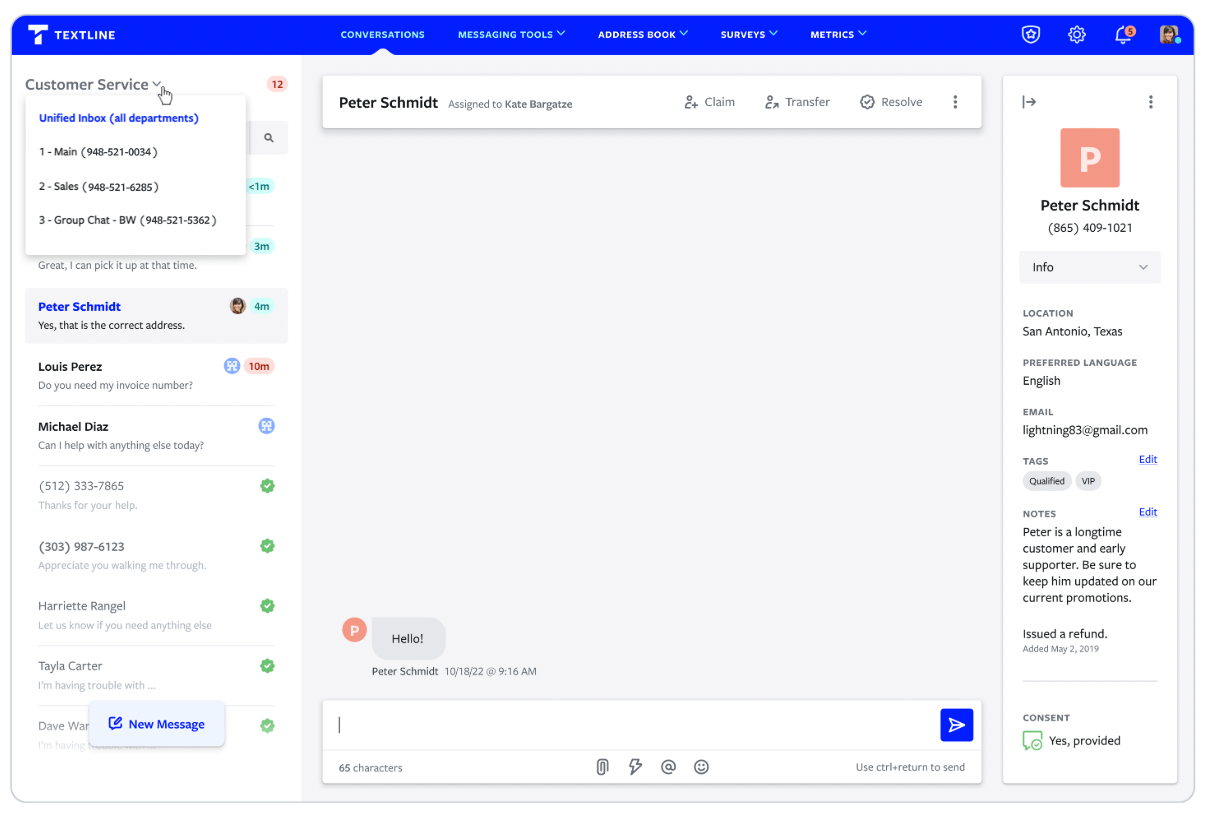
This is exactly why smart businesses are switching to proactive communication. Textline's unified inbox lets you manage all appointment communications—SMS, email, and web chat—in one place, so nothing falls through the cracks.
Actionable Tactics to Reduce No-Show Appointments
1. Send Automated, Multi-Channel Reminders
The foundation of no-show prevention starts with consistent, timely reminders that make it impossible to forget.
Here’s how to do it:
Schedule Reminders 24–48 hours Before the Visit (Higher Response Rates)
Use Automations to trigger reminders ahead of appointments.
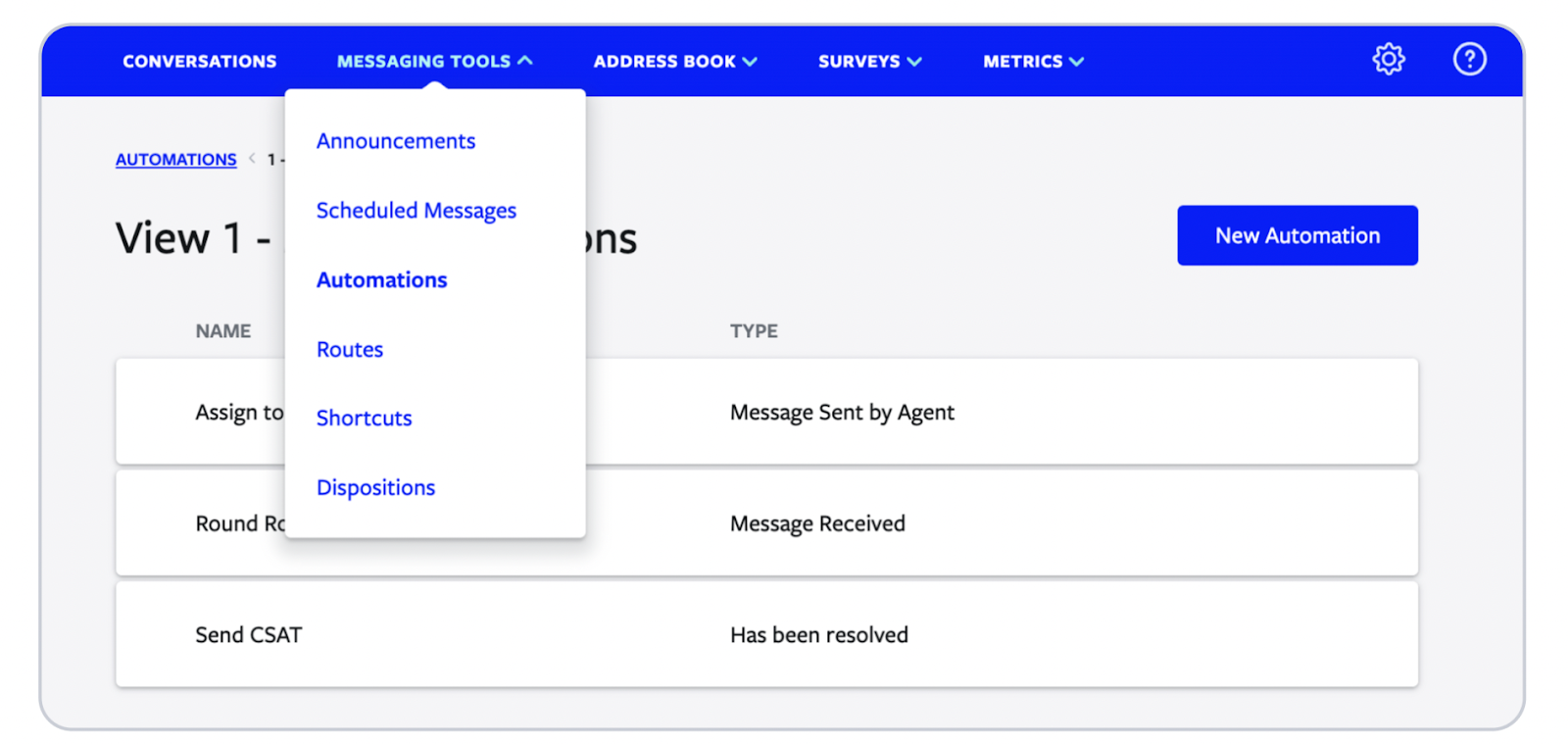
Choose Automation Type: Timer, then you’ll see a new section “Timer Condition”.
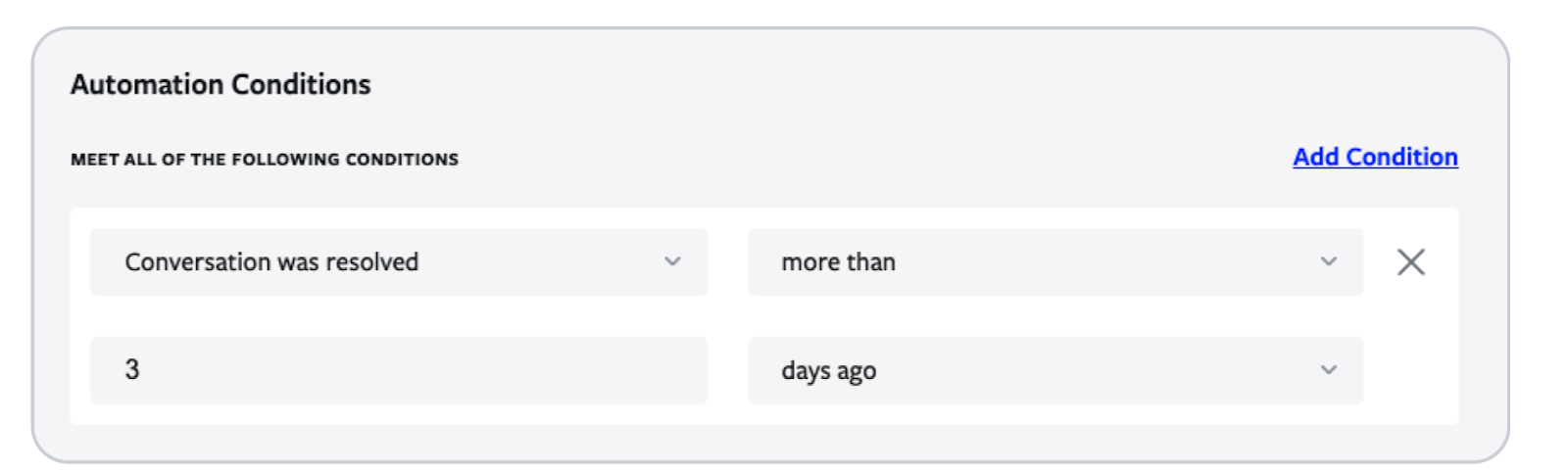
This Textline feature is useful for SMS confirmations, “Are you ready?” messages, no-response alerts, or final-day reminders.
Email follow-ups for detailed information and preparation instructions
Email is ideal when you need space to explain steps, attach documents, or share care instructions.
Textline’s Attachments feature lets you include PDFs, prep sheets, or visual instructions directly in the conversation — so patients don’t need to dig through long email threads to find what matters.
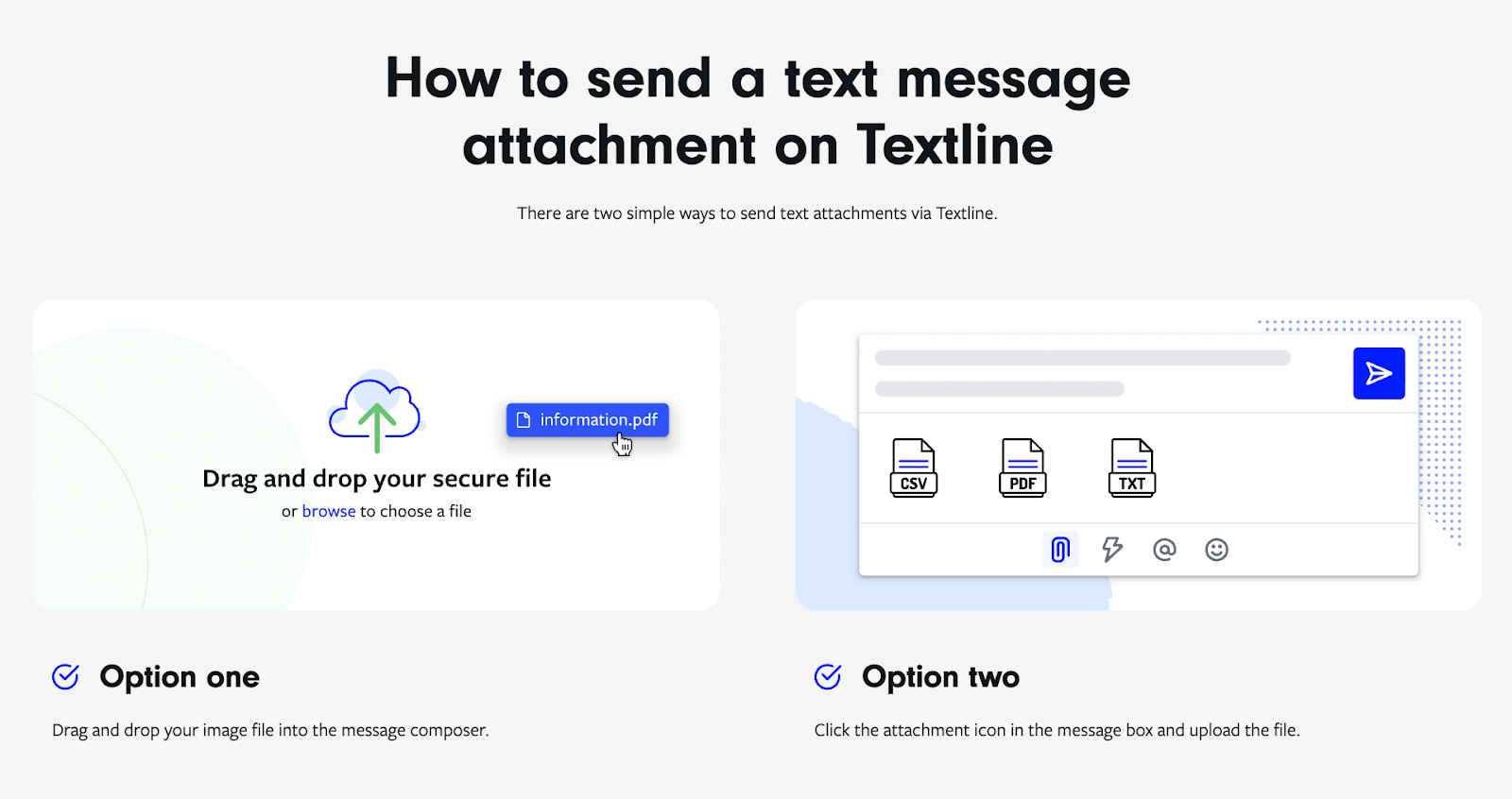
Phone calls for high-value or anxiety-inducing appointments
Some appointments need a real voice. If a patient replies with concern (e.g., “pain,” “nervous”), Textline can detect it and trigger a Route, automatically assigning the thread to a nurse or care coordinator for a follow-up call.
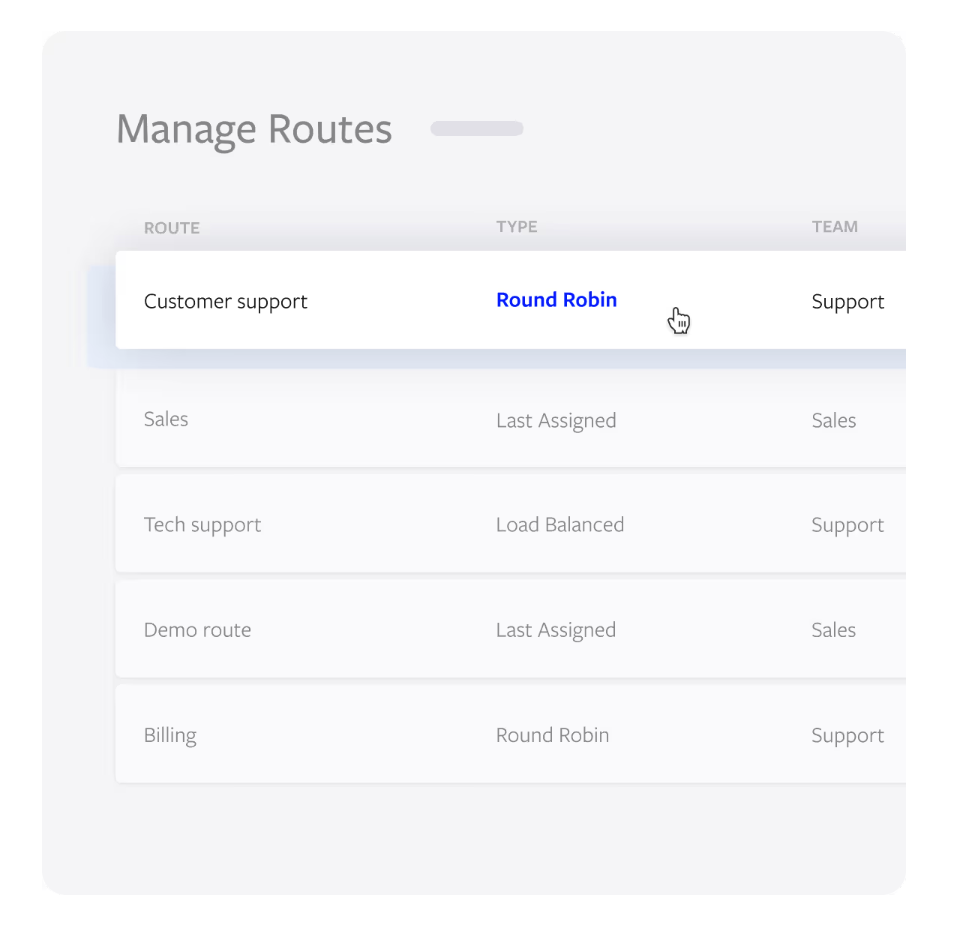
This prevents delays, reduces clinical risk, and ensures urgent cases don’t sit unread in the inbox.
One-tap confirmation options (reply "C" to confirm, "R" to reschedule)
You can do this using Textline’s Automation feature, e, which can trigger a message based on inbound/outbound messages, keywords, etc.
This keeps staff out of the back-and-forth — while still capturing clear patient intent in one message. It’s especially useful for high-volume clinics where even a few extra minutes per patient adds up fast.
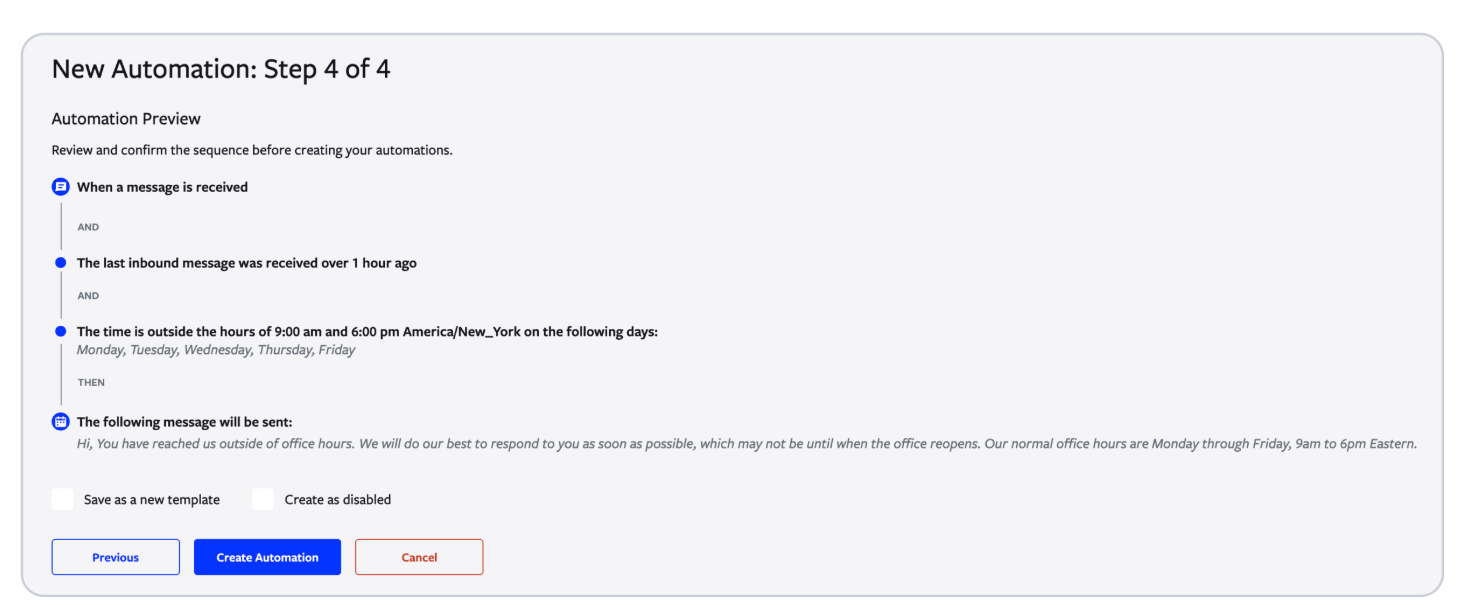
The data speaks volumes: Reminder calls and SMS can cut no-shows from 36% to 19%—that's nearly a 50% reduction.
Why Multi-Channel Still Matters
Not every reminder should be an SMS. Different touchpoints serve different needs:
Reminder Type
Response Rate
Implementation Speed
Best For
SMS Text
98% open rate
Instant
All industries
20-25% open rate
Fast
Detailed instructions
Phone Call
85% answer rate
Slow
High-value appointments
App Push
50-60% open rate
Medium
Tech-savvy clients
2. Empower Clients with Self-Scheduling and Easy Rescheduling
Self-scheduling creates psychological ownership. When clients pick their own time slots, they're 3x more likely to show up compared to assigned appointments.
Implementation tactics:
- Online booking systems with real-time availability
- Calendar integration that syncs with client's personal calendars
- One-click rescheduling links in all communications
- Shorter booking windows (reduce time between booking and appointment)
- Small deposits for high-value services to increase commitment
Pro tip: Reduce the gap between booking and appointment to 7 days or less when possible. Longer gaps increase no-show rates exponentially.
With Textline's API and integrations, you can connect your scheduling system directly to automated SMS workflows—so clients get instant confirmations, reminders, and easy links to reschedule. This minimizes back-and-forth and keeps your calendar full.
“Textline is the best app we've used to date"
“Textline gives us the ability to communicate with our clients through text every day. Which makes it so convenient for us in so many ways.
Textline keeps the client's phone numbers stored in the app for easy access, it allows us to keep record of the conversations, allows clients to reach us before/after business hours and the best part is that we can access it from anywhere.”
— VIC B., Insurance agent (G2)
3. Follow Up Immediately After a Missed Appointment
Speed matters. The faster you follow up after a no-show, the higher your chances of rescheduling.
Effective follow-up strategy:
- Send within 24 hours of the missed appointment
- Use empathetic, non-punitive language
- Include direct rescheduling options
- Offer alternative appointment types (virtual, shorter sessions)
Sample script:
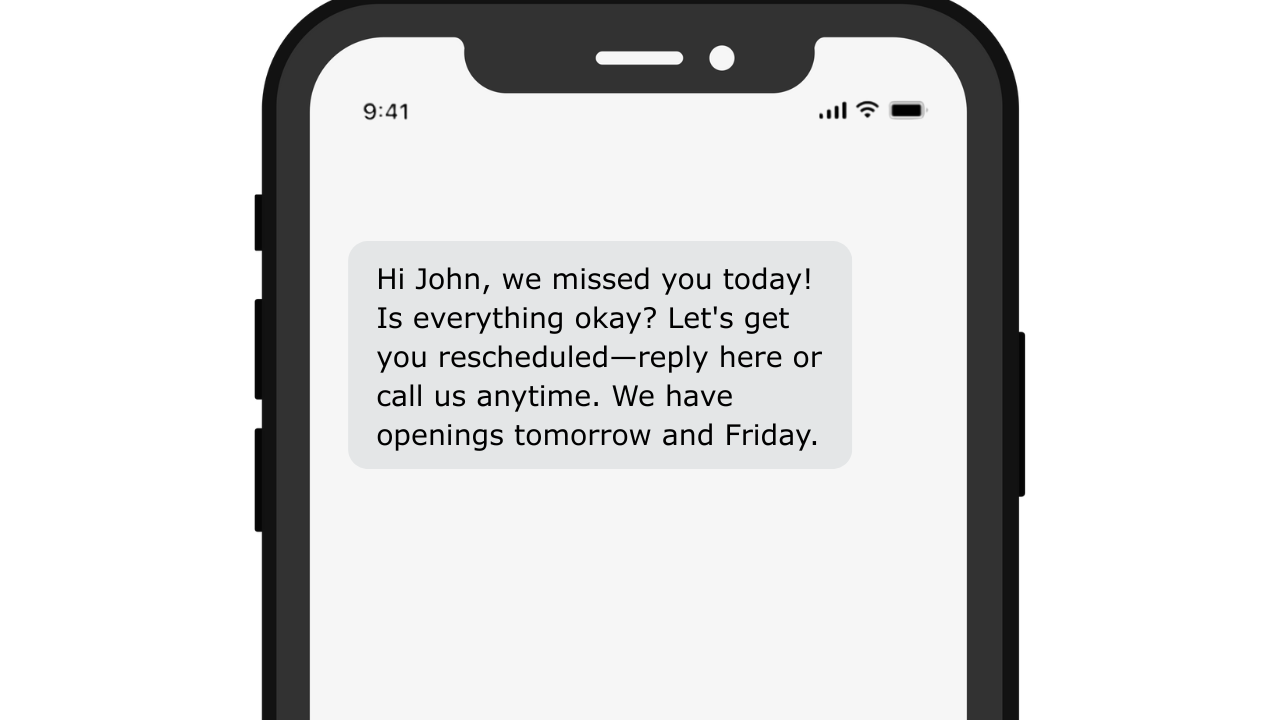
Looking to re-engage no-shows fast? Here’s how to use Textline to automate follow-up texts based on missed appointments, so no client slips through the cracks.
One efficient option is using Automation Templates to save and reuse message formats for different scenarios (missed appointment, post-op concern, reschedule offer, etc.). That way, staff don’t rewrite the same messages—and outreach stays consistent.
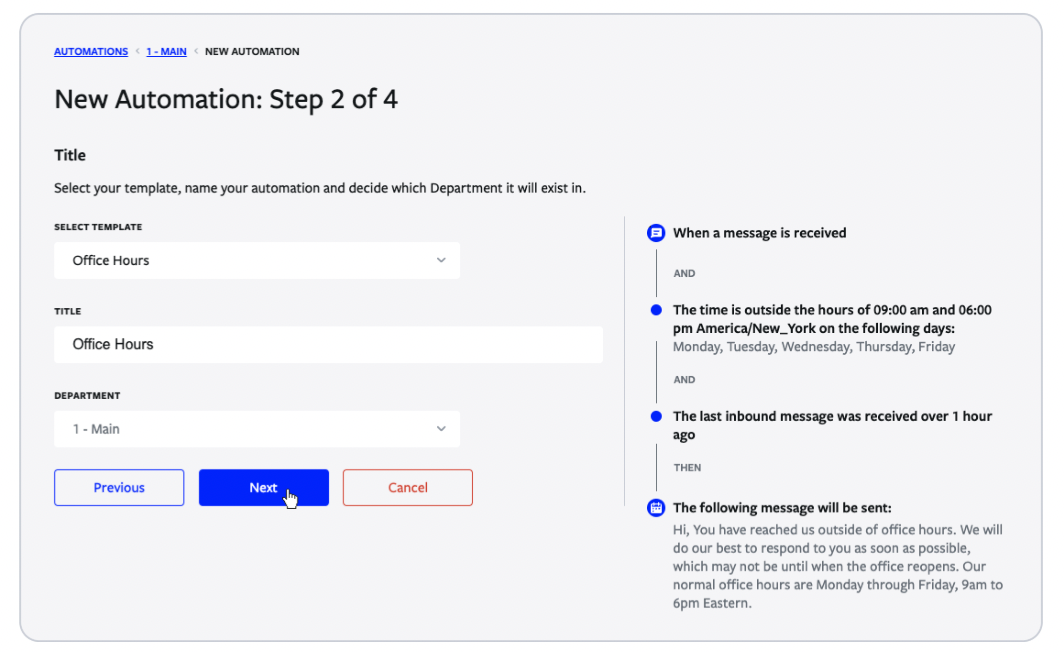
You can even segment by reason or urgency using Textline’s mass texting tools—ideal when you need different messaging for post-op patients vs. routine check-ups.
Sample Day-by-Day SMS Follow-Up Sequence
(Post-visit / post-procedure care — adaptable per specialty)
Day
Purpose
Sample SMS
Textline Feature to Use
Day 0 (same day)
Confirm visit & set expectations
“Thanks for visiting today, [Name]! We’ll check in again in 2 days. If you have any questions before then, just reply here.”
Message Template + Scheduled Text
Day 2
Symptom check
“How are you feeling today? Reply 1 = Fine / 2 = Pain / 3 = Concern.”
Keyword & Timer Automation + Routing
If 2 or 3
Trigger clinician review
“Thanks for letting us know. A nurse will reach out shortly.” → auto-assign to nurse
Automation: Assign to Agent + Tag
If no reply
Manual follow-up trigger
“We haven’t heard back — just checking in. Still okay?”
Timer Automation (no reply in 24h)
Day 5
Recovery resources
“Here’s a quick healing checklist you may find helpful: [link]. Let us know if anything feels unusual.”
Template + Scheduled Text
Day 7
Final check-in
“One last check-up text: Are you feeling 100%? Reply YES or NO.”
Keyword Automation
If NO
Escalate
“Thanks for letting us know — we’ll give you a call shortly.”
Assign to Agent + Route
Day 10 (optional)
Satisfaction survey
“How was your experience with us? Please rate 1–5 (5 = excellent).”
CSAT Survey (Pro Plan)
Want a bigger-picture view of how other clinics use texting—from intake to follow-up? Our guide to healthcare texting strategies has plenty of real-world ideas.
4. Build and Automate a Waitlist
Turn cancellations into opportunities. A well-managed waitlist can fill 80-90% of last-minute cancellations.
Waitlist best practices:
- Automated notifications when slots open up
- Tiered priority based on urgency or client value
- Time-sensitive responses (30-60 minute windows to claim spots)
- Multiple backup options to ensure slots get filled
Sample waitlist message:
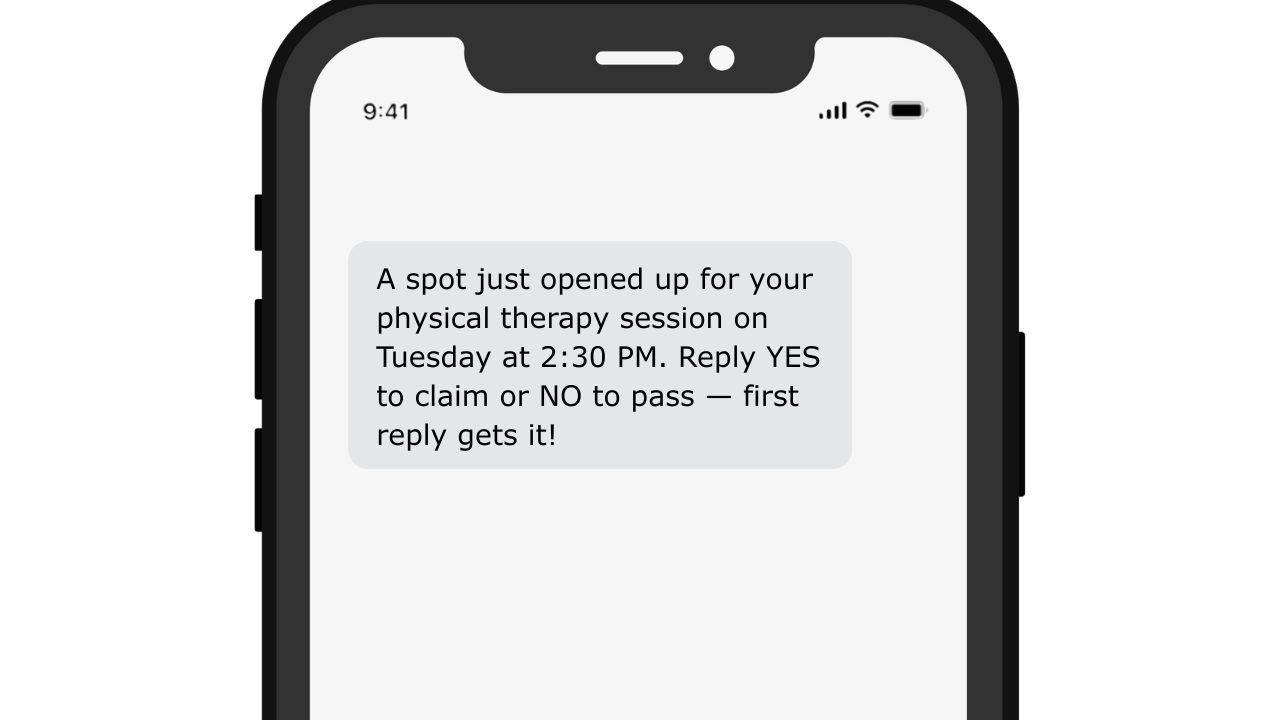
Other variations you can use:
Tone
Sample
Friendly
Good news! A spot opened for [Service] on [Date/Time]. Text YES to reserve or NO to skip ✔
Urgent
Last-minute Availability: [Service] at [Date/Time] just opened. First YES gets it.
Neutral
A slot opened for [Service] on [Date/Time]. Reply YES to take it—NO to pass.
Premium
A priority spot is available for [Service] on [Date/Time]. Let us know with YES or NO.
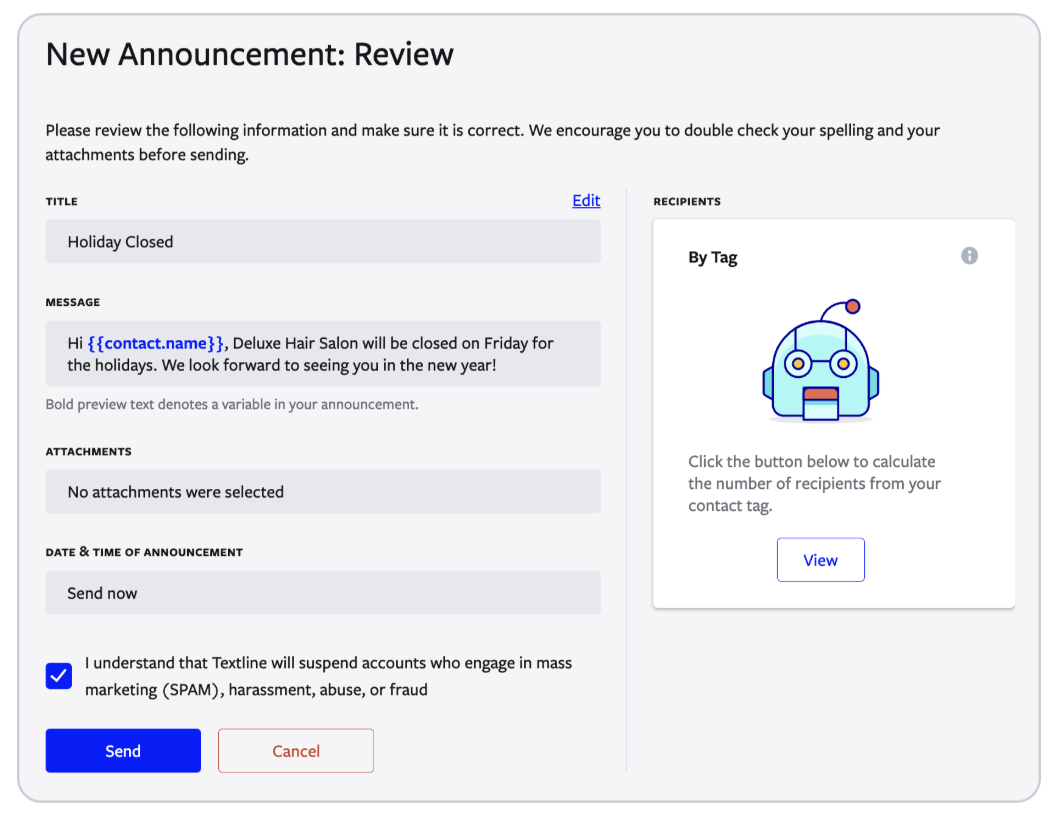
Textline’s announcement tool lets you instantly notify a targeted group (like your waitlist) about last-minute openings, with tracked replies and auto-assignment to the right team member.
“We love Textline!”
“What I like most is the ease of scheduling text messages. I can set my texts to go out and don't have to stress about getting them out at a certain time and being tied to my computer. We use Textline weekly so it helps to be able to schedule them. I also like how we can use our own phone number! This has been huge in our customer service!”
5. Offer Telehealth or Virtual Alternatives
Remove barriers, reduce no-shows. Virtual appointments eliminate travel time, parking hassles, and weather concerns.
Virtual appointment benefits:
- Lower no-show rates (as low as 7.5% vs. 20-30% for in-person)
- Increased accessibility for mobility-limited clients
- Weather-proof scheduling
- Reduced travel anxiety
Example 1: Temple Health (USA)
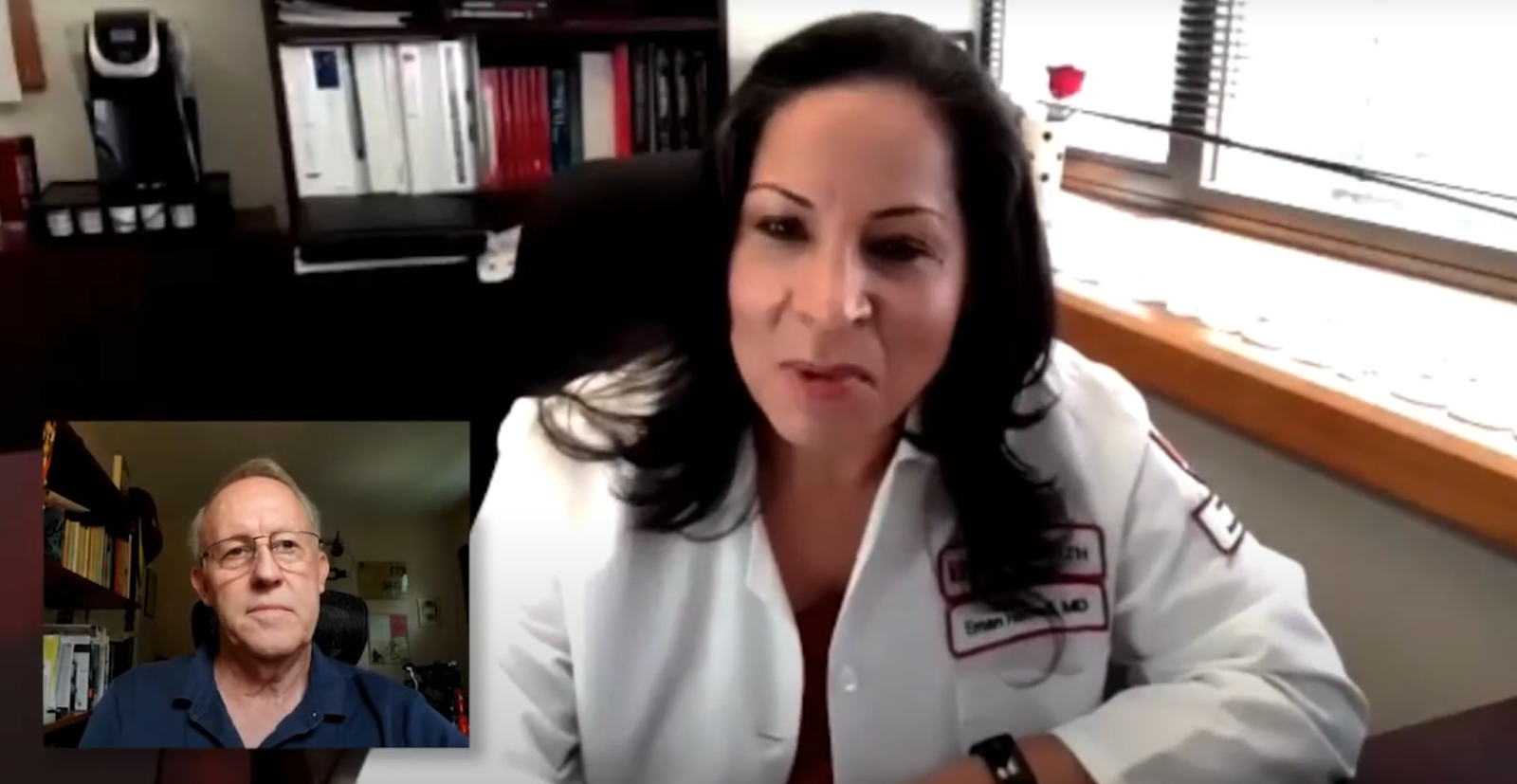
After transitioning from phone to video visits, Temple Health’s 7-day post-hospital follow-up rate rose from ~25.6% to ~50.2%.
They reported an average drop in no-show rate by 5% year-over-year following telehealth implementation.
This shows how offering virtual alternatives can improve continuity of care and scheduling adherence.
Example 2: Parkland Health Hospital

A study of 2.6 million clinic visits found that patients showed up more when telehealth was offered.
No-shows for Parkland hospital went down by 29% compared to in-person visits — even after looking at age, health issues, and other risk factors.
Simple takeaway: giving patients a virtual option helps more people keep their appointments. It makes care easier, not just faster.
For healthcare and consulting services, consider offering virtual options for routine check-ins, follow-ups, or consultations.
SMS / Portal Templates
Scenario
Sample Message
Offer telehealth as an option
“If traveling is difficult, reply VIRTUAL to switch to a telehealth visit — same time, from home.”
Confirm virtual appointment
“Your telehealth session is booked for May 3 at 2 PM. Click here to join securely: [link]”
Pre-visit prep
“Please log in 5 min early and have any medication nearby for review. Reply HELP if you need assistance.”
Follow-up post-visit
“Thanks for your telehealth check-in today. Would you like to schedule your next one virtually? Reply YES.”
Textline's HIPAA-compliant texting makes it easy to send secure links, instructions, or reminders for virtual appointments—all from the same inbox as your in-person scheduling.
6. Make Communication Easy, Personal, and Compliant
Clear, friendly communication lowers appointment anxiety and builds long-term trust with patients. When people know what to expect and feel spoken to like humans—not case numbers—they show up and stay engaged.
Communication best practices
Best Practice
Why It Matters
Quick Tip
Use warm, conversational language
Patients respond better to human tone than clinical/formal language. It increases reply rates and reduces anxiety.
Start with: “Hi [Name], just checking in…” instead of “Dear patient…”
Include preparation instructions
Removes uncertainty and prevents cancellations due to confusion.
Send checklists or short bullet points (e.g., fasting reminders, what to bring).
Share location details & parking info
Small logistics can cause late arrivals and no-shows.
Include Google Maps link or “Text PARKING for directions.”
Offer direct contact methods
Builds trust and speeds up clarifications.
Provide a texting line or “Reply 1 if you need to speak to us.”
Ensure HIPAA + TCPA compliance
Required for healthcare texting and protects your practice.
Use opt-in/opt-out language + secure consent process.
You don't have to worry about compliance headaches—Textline's Patented HIPAA Consent Process, opt-in/opt-out automation, and role-based permissions keep your communications secure and audit-ready. This is why healthcare practices make texting their #1 channel for confirmations and follow-ups.
7. Create a Welcoming, Low-Barrier Environment
First impressions matter. Anxiety about the appointment experience drives many no-shows.
Environment optimization:
- Send welcome messages with what to expect
- Provide virtual tours or photos of your facility
- Share staff introductions to build familiarity
- Offer flexible policies for rescheduling without penalties
- Create "no-judgment" messaging for sensitive appointments
With Textline’s group messaging and templates, clinics can send friendly welcome sequences, staff intros, or facility photos in advance—reducing anxiety before the patient even walks in.
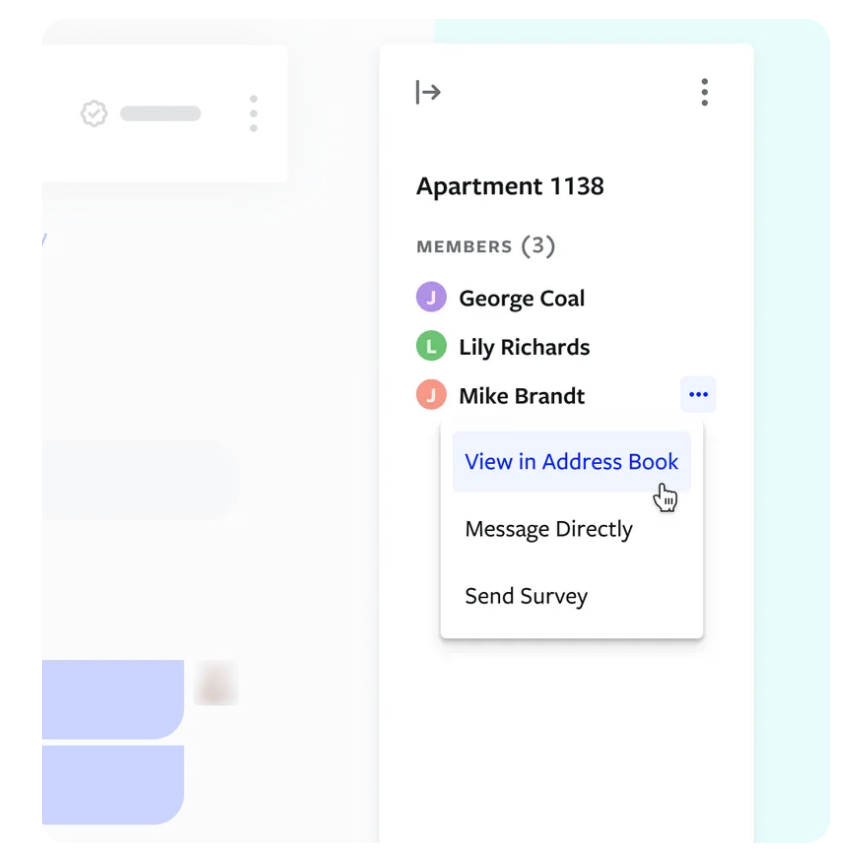
If a message requires follow-up, staff can coordinate using internal Whispers (not visible to patients) to keep tone consistent and supportive.
Here’s how to use it:
Click the Whisper icon (@) in the message box — or simply type /whisper before your message.
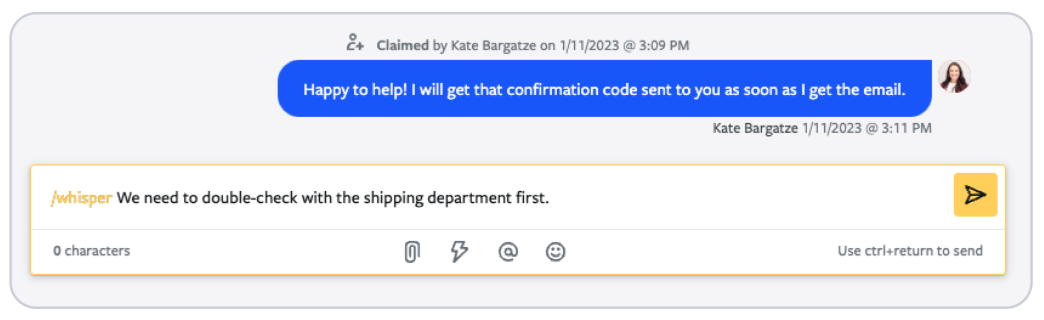
The box turns yellow, and Send changes to Whisper. Any agent can view and reply to it.
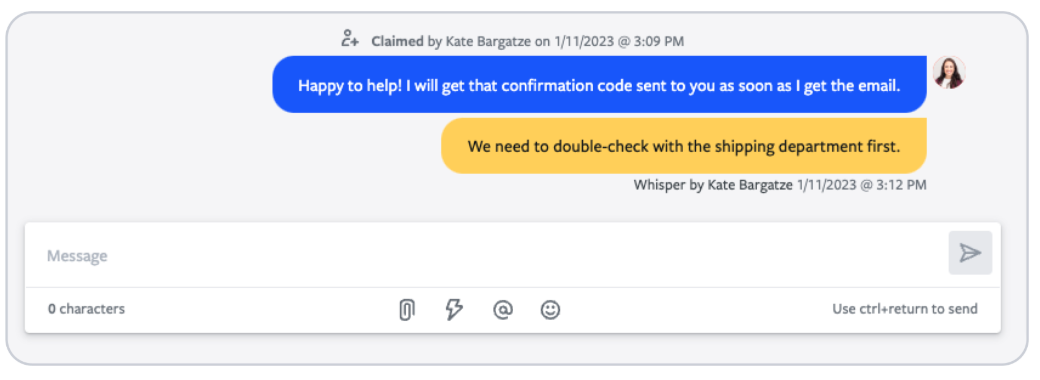
To tag someone, type @username or @team, then press Enter to select.
Summary: What Works Best
Use this table to prioritize which strategies to roll out first based on speed, impact, and suitability.
Tactic
Avg. No-Show Reduction
Speed to Implement
Best For
Automated SMS Reminders
15–20%+
Fast
All industries
Self-Scheduling / Easy Rescheduling
10–15%
Medium
Healthcare, service providers
Immediate Follow-Up After No-Show
5–10%
Fast
Healthcare, hospitality
Waitlist Automation
5–10%
Medium
High-volume clinics/practices
Telehealth / Virtual Visits
10–20%
Medium
Healthcare, consulting
Welcoming Environment
Up to 5%
Slow
All industries
Use this table as your quick-reference for prioritizing which strategies to implement first.
“Textline is the best texting software for medical clinic"
“Textline allows us to communicate with our patients even when our phone systems have been down and they have been down a lot. The tagging features allow us to contact specific patient demographics and keep constant communication flowing. This system even allowed us to integrate with our custom software via an API. What can I say, except that I love it!”
Compliance & Consent: Must-Know Rules
Before sending any appointment reminders, ensure you're compliant:
- Get clear opt-in consent before texting (especially healthcare).
- Always include opt-out instructions (STOP, END, QUIT).
- Respect time restrictions: avoid marketing texts before 8AM / after 9PM local.
- HIPAA: don’t include PHI unless using secure workflows.
- 10DLC registration may be required for business texting — check your carrier/platform.
Communication Best Practices
Make these part of every reminder + follow-up:
Best Practice
Why It Matters
Tip
Use warm, conversational language
Clinical tone increases anxiety
“Hi Sarah — just checking in…” feels more human
Include instructions & what to expect
Removes uncertainty
Mention prep steps OR what to bring
Share parking/location info
Removes friction on arrival day
Add maps/photos to SMS/email
Offer direct contact method
Builds trust + faster resolution
Give direct line or reply option
Ensure HIPAA + TCPA compliance
Avoid legal jeopardy
Never include PHI in SMS unless using secure workflows
Scripts & Templates You Can Use Today
Use Case
SMS Template
SMS Reminder
Hi [Name], reminder of your appointment on [Date] at [Time]. Reply C to confirm, R to reschedule, or STOP to opt out.
Missed Appointment Follow-Up
We missed you today — is everything okay? Reply here and we’ll help you reschedule.
Waitlist Notification
A spot opened for [Service] on [Date/Time]. Reply YES to claim or NO to pass.
Virtual Visit Reminder
Your virtual appointment is tomorrow at [Time]. Join here: [Link]. Need tech help? Reply and we’ll call 10 minutes early.
If you want plug-and-play wording for your next campaign, check out our full library of healthcare SMS templates next.
FAQs: Common No-Show Challenges
What if clients ignore reminders?
Try multi-channel reminders (SMS + email + phone) and immediate follow-up after missed appointments. Textline's automation can escalate to different team members after repeated no-shows.
How do I keep reminders compliant?
Use platforms with built-in consent and opt-out workflows. Textline's Patented HIPAA Consent Process and automated compliance tools handle this automatically.
What's the fastest way to see results?
Start with SMS reminders and immediate follow-up—these are proven quick wins that require minimal setup but deliver immediate results.
Can I automate everything without losing the personal touch?
Absolutely. Use personalization variables (name, appointment type, provider name) and segment messages by client type or appointment urgency for a tailored feel at scale.
Cut No-Show Appointments With Textline
You now have seven proven tactics that consistently reduce no-shows across industries. The fastest wins come from:
- Automated SMS reminders with clear confirmation options
- Immediate follow-up after no-shows
- Self-scheduling and easy rescheduling to reduce friction
- Waitlist automation to fill last-minute gaps
These strategies don’t just fill your calendar—they protect revenue, improve patient outcomes, and reduce operational stress on your staff.
Make It Easier on Your Team
Instead of jumping between tools, Textline lets you manage everything from one compliant inbox:
✔ Automated reminders & follow-up workflows
✔ Message templates and personalization variables
✔ HIPAA consent process & opt-in/opt-out compliance
✔ Routing, tagging & escalation for urgent replies
✔ Real-time tracking and performance dashboards
That means less scrambling and more scheduled, attended appointments — even in high-volume clinics. You can create a free account. No credit card required.