
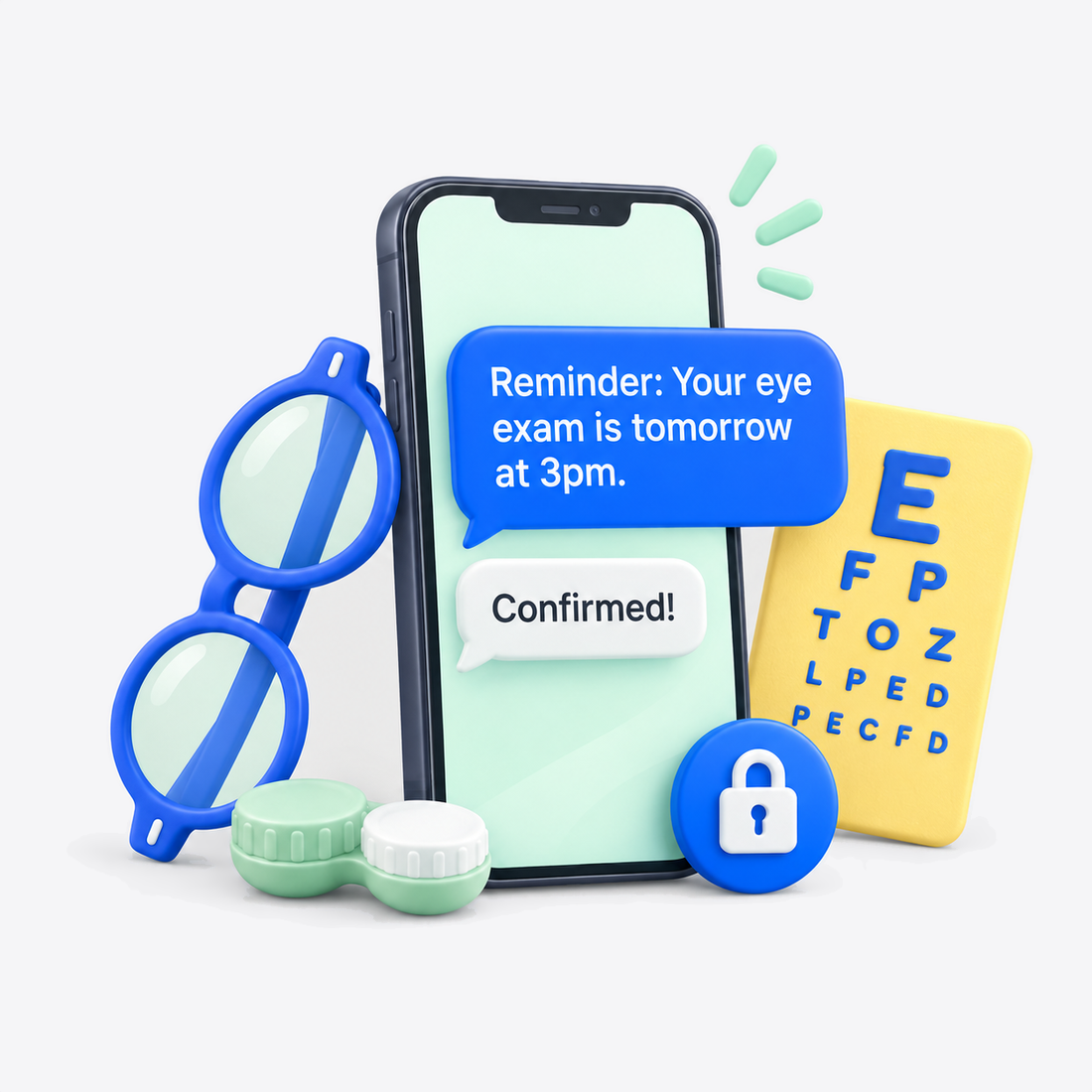

Textline's HIPAA-compliant automated appointment reminders reduce no-shows, keeping optometry scheduling calendars organized and filled. Reducing no-shows allows for more consistent revenue.

All members of your optometry practice share and manage HIPAA-compliant conversations via the Textline team inbox. Communication is stored in a safe history that's easy to access so you can verify who said what, when. Everyone is on the same page, enhancing patient care.

Eye care patient communication software reduces front office stress. Automated check-in is quick and easy. Well before their appointment, patients can text IDs, insurance cards, and history forms via Textline HIPAA-compliant SMS. You can be assured your optometry practice is secure and safe.

Patients are twice as likely to respond to text messages as they are to a phone call. Average texts take 30 seconds while the average phone call takes from 4 to 8 minutes. HIPAA-safe texts are received directly by the patient, keeping your practice safe and secure.
Staff sends a HIPAA-secure automated SMS appointment confirmation before the patient's follow-up eye exam appointment. The two-way text greets the patient by name, states the optometrist's name, and the appointment date and time. Hi (name). Your follow-up eye exam appointment is scheduled with (doctor name) on (date) at (time). Reply C to confirm, or call/text us to reschedule.
The patient opens the appointment confirmation text and responds C to confirm, R to reschedule, or STOP to opt out. Patient replies C, then immediately Textline's automated system replies, "Thank you for confirming your appointment with (doctor name) on (date) at (time). Texline offers both manual and built-in automation options to customize timing of when appointment confirmations are sent.
Front-desk can see all confirmation replies in the team inbox. The patient's response is automatically updated in Textline's software. The appointment slot status changes to "confirmed". All staff can see the confirmed appointment in the team inbox.
Two hours prior to the appointment, Textline sends an automated check-in text. This automated step significantly reduces no-shows and reduces the front office workload. Staff can control the timing of check-in texts, even sending more than one message at key intervals to ensure patients don't forget appointments.
After the appointment, staff sends a follow-up appointment text with a link to specific eye care instructions. The open channel, two-way text allows the patient to respond with comments or questions, improving care and patient experience. All shared links and documents are confidential, ensuring your optometry practice is HIPAA-safe.
<p style="text-align: center;">When your optometry practice uses Textline's two-way SMS, you increase patient trust and streamline front-office tasks. Built especially for HIPAA-compliance, Textline makes your office secure and efficient.</p>
<p style="text-align: center;">Get a Demo</p>
<p style="text-align: center;">View Pricing</p>
Try Textline for free. No credit card required.
of patients who received SMS updates, felt more connected to their care teams. — Journal AAOS
of patients want text reminders to schedule appointments. — PatientPop
of Americans own a cell phone of some kind. — Pew Research Center
Mobile carriers require registration for business texting. This involves submitting information about your practice and how you plan to use text messaging.
Textline helps your optometry practice complete this process through registration forms in the app. These forms collect the information needed for your submission, and Textline guides you through the registration process.
While registration is underway, prepare your team’s messaging workflow, appointment reminders, and response templates. Your practice will also need to complete its HIPAA plan setup and sign a Business Associate Agreement (BAA) before using the HIPAA messaging offering for patient communication.
Yes, Textline was built specifically to be HIPAA-compliant. You can rest easy knowing that Textline SMS ensures your optometry practice complies with all HIPAA requirements. Plus, your optometry patients don't need to download an app.
Textline earned a patent in 2021 for its HIPAA Secondary Consent feature. Secondary consent maintains strict controls to protect healthcare organizations that want to message patients with HIPAA compliance. The consent feature is one of many ways Textline protects your optometry practice.
Our official partnership with Keragon lets you integrate your practice with third-party healthcare-specific automation platforms. The integration lets you safely manage records, sync data, and pass information between hundreds of PMS and EHRs with Textline. Also, Textline seamlessly integrates with general business tools like Zendesk, Hubspot, and Salesforce.
Textline doesn't natively sync out-of-the-box with specialty optometry Electronic Health Records (EHR) platforms like Eyefinity, RevolutionEHR, or Compulink. We provide an intuitive custom Developer API and webhooks if you want to integrate with specialty platforms.
Yes, multiple staff members can easily use Textline at the same time. Textline is designed specifically for collaboration in order to help balance your optometry staff's workload.
The team in-box increases practice efficiency by speeding up two-way communication. Speedy messages and replies make patients feel heard and cared for.
Larger optometry offices can set up SMS departments like billing and insurance, reception and scheduling, lab, and optical dispensary for even more efficient communication.
HIPAA-secure two-way real-time text improves patient care by fostering trust and enhancing patient engagement. However, at any time, a patient can choose to opt out of receiving Textline texts.
Since patient opt-outs are required by law, Textline makes it easy and straightforward for a patient to opt out. The patient simply texts STOP, EXIT, UNSUBSCRIBE, or END and Textline automatically ceases text. Patients can opt back in at any time.
The initial set-up for an optometry practice takes only about 5 minutes and includes a 14-day free trial. After set-up, you complete the dashboard orientation which takes about 2 minutes. Loading your patient contacts and team imports will take about 10 to 15 minutes.
If you choose to use a toll-free phone number, you can start messaging immediately. If eye-care practices want to use a 10-digit local phone number, mobile service providers require registration. The required vetting and carrier compliance can take from 2 to 3 weeks before you can actively text.
Once you have obtained patient consent, you can send just about any type of optometry practice related message to your patients. After the patient opts-in to Textline SMS, your communication is HIPAA-compliant, keeping your practice safe.
The most common messages optometry practices send to patients include eye-care appointment schedules and reminders, exam and follow-up check-ins, history intake forms, prescription refills, billing and insurance messages, and after-care instructions.
Most patients prefer text over a phone call. You'll appreciate how Textline's two-way texting platform enhances patient engagement and improves care.
Yes, and it's quick and easy to send bulk appointment reminders with Textline. Just be mindful that you must verify that each patient in the bulk text has opted in so your practice remains HIPAA-compliant.
For bulk texts, you'll use Textline's Announcement feature which allows appointment personalization, targeting, and even helpful analytics.
If you integrate Textline with Keragon, bulk appointment reminders are even easier and faster to send – they're totally automatic.
Textline's fast set-up and intuitive design help streamline and grow your optometry practice.
Modernizing your practice with HIPAA-compliant two-way communication frees up your schedule so you can dedicate more time to caring for your optometry patients.


This software was the "one" IT solution that saved our medical practice during COVID. What we realized is that most, if not all of our patients, were very happy with this experience. The main goal was to keep our patients safe and out of the waiting room until their room was ready. Trying to do this over the phone would have been a communications nightmare. When COVID goes...if ever, we will continue to use this form of communication.
Using Textline daily, and having used other similar services in the past, the ease of use is not something to overlook. No more entering the same contact information into eight different services. We use the desktop version in the office and couldn't be happier. The integration with Pipedrive is seamless, and the scheduled messages are so simple to set up. Having Textline HQ available to walk you through anything is another great feature.
I really enjoyed using Textline for collection purposes… I do highly recommend this product. The software was very easy to use. I liked being able to set the time when texts would be sent. I liked being able to converse with anyone that responded. However, there is an option to have a canned response. I never used that option, but I'm sure it would benefit most companies. The customer service was great and answered in a very timely manner.
Explore Textline’s available integrations to see how texting can fit into your optometry practice’s existing workflow. Review the supported tools and connection options to find an approach that suits how your team manages everyday communication and administrative tasks.


Create a free account today. No credit card required.
Still have questions? Text us: +1 415-849-4349 or contact us here.